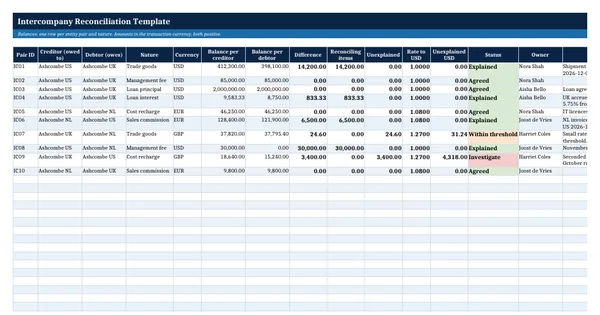
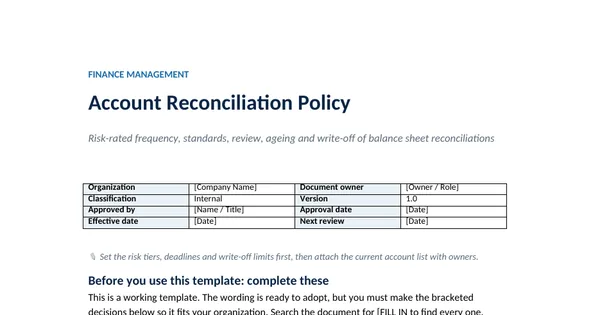
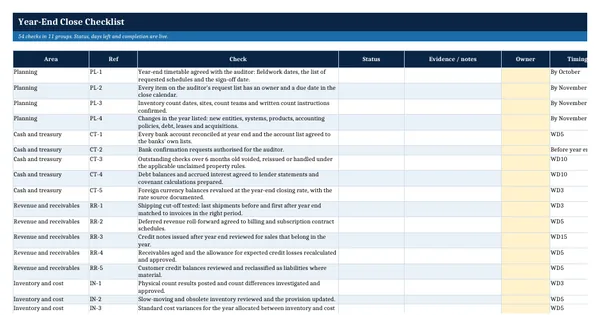
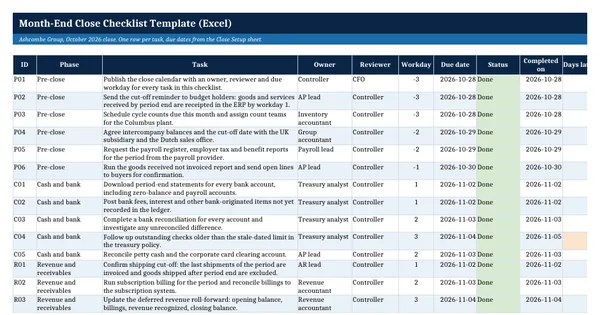
 Excel workbook preview
Month-End Close Calendar Template
3 free downloads per account. Just your email and a 6-digit code.
About this template
A month-end close calendar turns the close task list into a dated schedule: every task has an owner, a reviewer and a workday deadline counted from the period end. It is needed when the close keeps slipping, when a new CFO asks for a close date, or when a subsidiary has to deliver its trial balance on a fixed day so the group can consolidate.
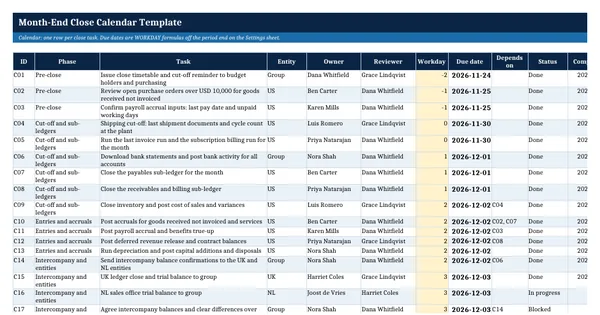
The workbook schedules 26 worked tasks for Ashcombe Group, an invented manufacturer with UK and Dutch entities. Due dates are WORKDAY formulas off one period end cell and a holiday list, so the calendar rolls forward each month. Workdays late, status colours, a timeline grid and a phase summary are all live formulas. It rests on general accounting practice and needs no paid standard.
Who it is for
The controller who was asked by the new CFO when the books will close each month and who does what on which day, and has only a task list with no dates.
What is inside
- 26 worked close tasks in 7 phases, from pre-close to period lock, plus 20 blank rows
- Due dates from WORKDAY formulas: change the period end and every date moves, skipping weekends and holidays
- Settings sheet with the period end, target close day and a holiday list of 5 sample dates
- Workdays late and RAG status as live formulas, with overdue dates turning red
- Timeline sheet: an 11-day grid from WD-2 to WD8 that marks each task and turns green when done
- Summary sheet by phase, plus planned and actual close day
- Dropdowns for phase and status, freeze panes, filters and print fit
How to use it
Type the period end and your holidays on the Settings sheet, then adjust the workday of each task.
Files
- XLSXmonth-end-close-calendar-template.xlsx20 KB
Opens in Microsoft Word or Excel, Google Docs or Sheets, and LibreOffice. Based on general finance practice, not on one published standard. A template to adapt, not legal, tax or accounting advice.
Questions about this template
What is a workday close calendar?
It schedules each close task on a workday counted from the period end, such as WD1 for the first working day after month end. Because the deadline is a workday number, not a fixed date, the same calendar works every month. Weekends and holidays are skipped, so a holiday on the first of the month moves every task by one day.
How many days should a month-end close take?
There is no rule. It depends on the size of the business, the number of entities and how much is automated. This template sets a target close day as an input and measures the actual close day from the completion dates, so the trend is visible month to month. Shortening the close starts with the tasks that finish late.
What tasks belong on a close calendar?
Pre-close cut-off reminders, sub-ledger closes for payables, receivables and inventory, accruals, payroll, revenue entries, depreciation, intercompany confirmations, entity trial balances, reconciliations, consolidation, flux review, the management pack and the period lock. Each task needs an owner, a reviewer and a dependency where one task waits on another.