

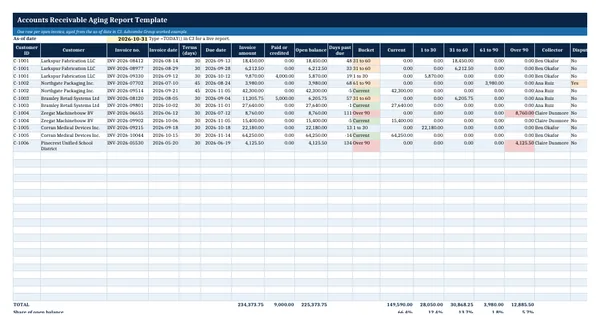
 Excel workbook preview
Order-to-cash and accounts receivable
Accounts Receivable Aging Report Template
3 free downloads per account. Just your email and a 6-digit code.
About this template
An accounts receivable aging report lists every unpaid customer invoice and sorts the open balance by how long it is past its due date. Controllers use it to direct collection work, auditors use it to test the allowance for credit losses and the existence of receivables, and lenders use it to work out how much of a borrowing base counts as eligible. It has to tie to the receivables balance in the general ledger at the same date.
This workbook ages invoices from a single as-of date, so the same file gives a month-end report or, with TODAY(), a live one. Every derived figure is a formula: due date, open balance, days past due, bucket, customer totals and risk flags. The worked example uses an invented manufacturer with six customers. The method is standard credit practice and needs no paid standard.
Who it is for
The accountant or controller who must hand the auditor or the bank an aged receivables listing that ties to the ledger at month end.
What is inside
- Open invoices sheet with 12 worked invoices for 6 customers and 20 blank formatted rows
- Due date, open balance, days past due and aging bucket are live formulas from one as-of date
- Five buckets: current, 1 to 30, 31 to 60, 61 to 90 and over 90 days, with totals and shares
- By customer sheet with credit limit, available credit, share over 60 days and a High, Medium or Low risk flag
- Summary sheet with bucket totals, invoice counts, a reconciliation check and a bar chart
- Dropdowns for collector and disputed status, colour bands on buckets, freeze panes and filters
- How to use sheet with the steps, the formulas explained and a tie-out tip
How to use it
Type your month-end date into the as-of cell, then paste your open invoices over the sample rows.
Files
- XLSXaccounts-receivable-aging-report-template.xlsx20 KB
Opens in Microsoft Word or Excel, Google Docs or Sheets, and LibreOffice. Based on general finance practice, not on one published standard. A template to adapt, not legal, tax or accounting advice.
Questions about this template
How do you calculate days past due in an aging report?
Days past due is the as-of date minus the invoice due date, and the due date is the invoice date plus the payment terms in days. A negative result means the invoice is not yet due and sits in the current bucket. In this template the as-of date is one input cell, so every row recalculates when you change it.
What are the standard aging buckets?
Most companies use current, 1 to 30, 31 to 60, 61 to 90 and over 90 days past due. Some add 91 to 180 and over 180 when old balances are material, which helps the allowance calculation. The bucket formula in this template is one nested IF and can be extended with another column if you need more bands.
Why does my aging report not agree to the general ledger?
Common causes are unapplied cash, credit notes posted to the ledger but not to the subledger, manual journal entries to the receivables account, foreign currency revaluation and invoices dated after the cut-off. The Summary sheet compares the aging total with the ledger balance you enter and shows the difference to explain.
More Order-to-cash and accounts receivable templates
Order-to-cash and accounts receivable
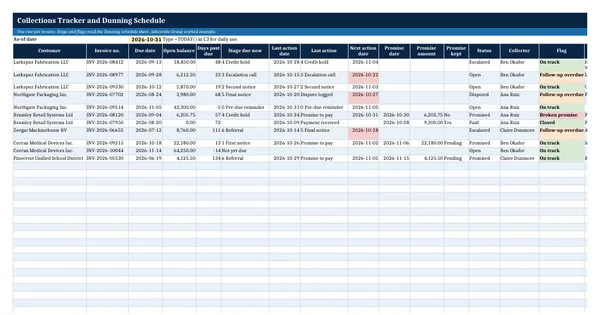
Collections Tracker and Dunning Schedule
Order-to-cash and accounts receivable
Collection Letter Templates (First, Second and Final Notice)
Order-to-cash and accounts receivable
Business Credit Application Form
Order-to-cash and accounts receivable