

 Excel workbook preview
FinOps and cloud cost management
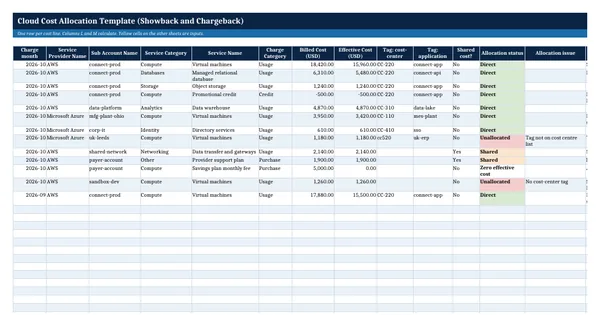
Cloud Cost Allocation Template (Showback and Chargeback)
3 free downloads per account. Just your email and a 6-digit code.
About this template
A cloud cost allocation template answers the question every cloud bill raises: which team, product or cost center does this cost belong to. It is needed when the provider invoice arrives as one large number, when a product owner wants to see the cost of a product, or when the CFO decides that business units should carry their own cloud spend through showback or chargeback. It also shows how much cost has no owner at all, which is the first number to bring down.
The workbook takes one row per cost line, named after the columns of the open FOCUS specification, and classifies each line by its cost-center tag. Shared costs such as networking and support plans are split by one of the three distribution methods the FinOps Framework names: proportional, even split or fixed. Formulas build the monthly allocation per cost center, reconcile it to the total, compare the allocatable share with the framework's sample KPIs and produce a balanced chargeback journal.
Who it is for
The controller or FinOps lead asked by the CFO or a product owner which team the monthly cloud bill belongs to, and how much of it nobody owns.
What is inside
- Cost Lines sheet with 13 worked lines and 20 blank rows, using FOCUS column names (Billed Cost, Effective Cost, Service Category, Charge Category)
- Every line classified by formula as Direct, Shared, Unallocated or Zero effective cost, with the reason for each unallocated line
- Cost Centres sheet for 15 cost centres: owner, showback or chargeback, ledger account and a fixed share that must add up to 100%
- Allocation sheet: pick a month and one of three shared cost methods (proportional, even split, fixed percentage)
- Reconciliation check that allocated plus unallocated cost equals the month's effective cost
- Allocatable cost % compared with the FinOps Framework sample KPIs for Crawl (70%), Walk (85%) and Run (above 90%)
- Chargeback Journal sheet with balanced debit and credit lines for the cost centres on chargeback
- Dropdowns for the FOCUS Service Category and Charge Category values, red flags on unallocated cost
How to use it
List your cost centres on the Cost Centres sheet first, then paste one month of cost lines and pick the shared cost method on the Allocation sheet.
Files
- XLSXcloud-cost-allocation-template.xlsx20 KB
Opens in Microsoft Word or Excel, Google Docs or Sheets, and LibreOffice. Built on the FinOps Framework by the FinOps Foundation, published under the Creative Commons Attribution 4.0 licence (CC BY 4.0). Adapted and extended; not endorsed by the FinOps Foundation. A template to adapt, not legal, tax or accounting advice.
Questions about this template
What is the difference between showback and chargeback?
Showback reports each team's cloud cost to that team without moving money in the ledger. Chargeback books the cost to the team's budget through a journal entry. The FinOps Framework says showback is always needed and chargeback depends on the organization's accounting policies. The template lets you set either mode per cost center.
Why allocate Effective Cost and not the invoice amount?
Effective Cost in the FOCUS specification is the amortized cost after discounts, including the share of prepaid commitments that covered the usage. Allocating it puts commitment savings with the teams whose usage consumed them and avoids counting a prepaid purchase twice. The template keeps Billed Cost alongside so the month still ties back to the invoice.
How should shared cloud costs be split?
The FinOps Framework names three distribution models for shared cost: proportional, fixed and even split. Proportional to direct cost suits networking and support that grow with usage. A fixed percentage suits costs agreed in the budget. An even split suits small platform costs. Agree the method with Finance and use it all year.
More FinOps and cloud cost management templates
FinOps and cloud cost management
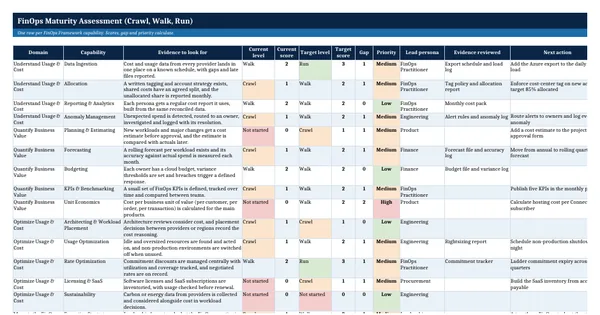
FinOps Maturity Assessment (Crawl, Walk, Run)
FinOps and cloud cost management
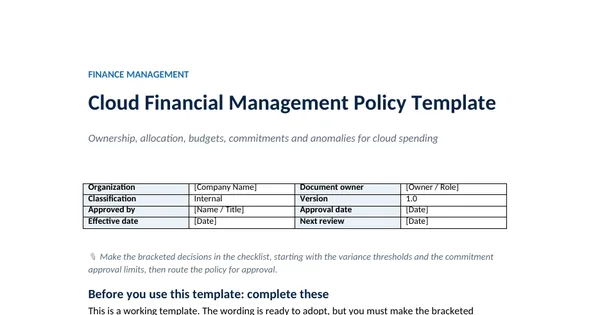
Cloud Financial Management Policy Template
FinOps and cloud cost management
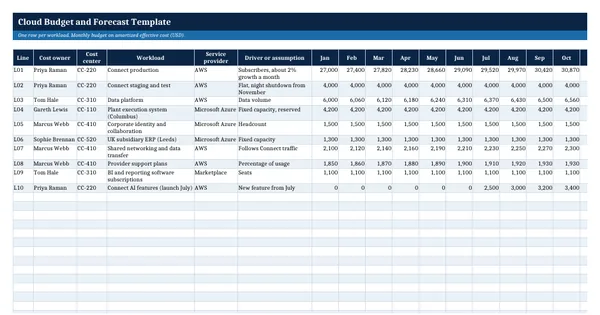
Cloud Budget and Forecast Template
FinOps and cloud cost management