

 Excel workbook preview
FinOps and cloud cost management
Cloud Cost Anomaly Log
3 free downloads per account. Just your email and a 6-digit code.
About this template
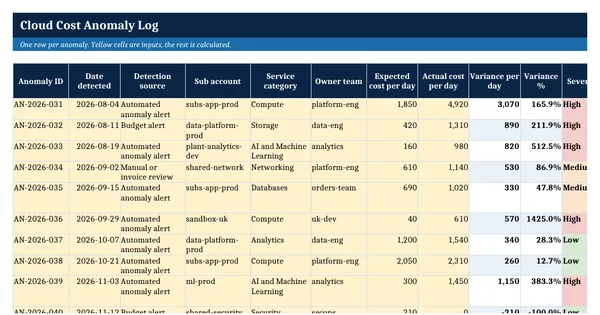
A cloud cost anomaly log records every unexpected change in cloud spend: how it was found, how large it was, what caused it, who was told and when it was resolved. It is needed after a surprise invoice, when finance wants evidence that cost spikes are caught quickly, and when teams want to learn which kinds of anomaly keep recurring and which alerts are noise.
This workbook holds a 22-column log with ten worked rows for an invented company, dropdowns, calculated variance, severity, response times, anomaly cost and cost avoidance, a settings sheet and a live summary by category and severity. It follows the Anomaly Management capability of the FinOps Framework from the FinOps Foundation (CC BY 4.0) and uses the service categories of the open FOCUS specification.
Who it is for
The FinOps analyst or controller asked after a surprise cloud invoice to show which cost spikes were found, who was told, how fast they were fixed and what they cost.
What is inside
- 22-column anomaly log with 10 worked Ashcombe Group rows and 20 blank formatted rows
- Variance, variance %, severity, days to notify, days open, anomaly cost and cost avoidance calculated
- Dropdowns for detection source, the 19 FOCUS service categories, 10 anomaly categories and 5 statuses
- Severity colours, status colours and a red flag on anomalies open past the escalation days
- Settings sheet with 8 input cells for thresholds, period cost and anomaly cost bands
- Summary sheet with 11 measures plus totals by category and by severity
- Freeze panes, filters, print fit and a How to use sheet with the FinOps Framework credit
How to use it
Set your severity thresholds and the period cost on Settings, then log each anomaly as it is detected.
Files
- XLSXcloud-cost-anomaly-log.xlsx18 KB
Opens in Microsoft Word or Excel, Google Docs or Sheets, and LibreOffice. Built on the FinOps Framework by the FinOps Foundation, published under the Creative Commons Attribution 4.0 licence (CC BY 4.0). Adapted and extended; not endorsed by the FinOps Foundation. A template to adapt, not legal, tax or accounting advice.
Questions about this template
What counts as a cloud cost anomaly?
An anomaly is spend that differs from normal historical or forecast spend for a service, account or team, usually a sudden increase. It may be a real problem such as a runaway job or a misconfiguration, an expected change nobody announced, or a false alert. Logging all three shows where thresholds need tuning.
How do you measure the value of anomaly management?
The FinOps Framework suggests measures such as mean time to detect and to notify the owner, the cost of anomalies as a share of spend, and cost avoidance: the correctable daily spend multiplied by the days the anomaly would have continued if nobody had acted.
Who should be told about a cost anomaly?
The team that owns the resource, identified through its tags or account, should be notified first, because only they can judge whether the spend is expected and fix it. Finance and the FinOps team follow the log, and large or unresolved anomalies are escalated after an agreed number of days.
More FinOps and cloud cost management templates
FinOps and cloud cost management
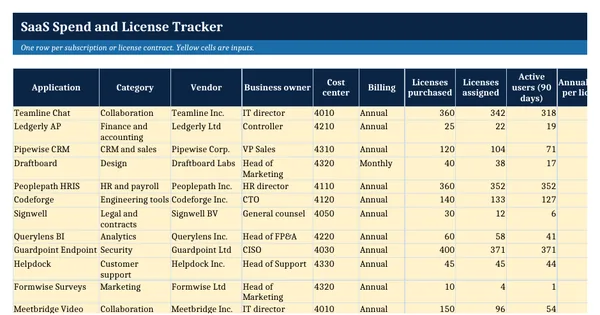
SaaS Spend and License Tracker
FinOps and cloud cost management
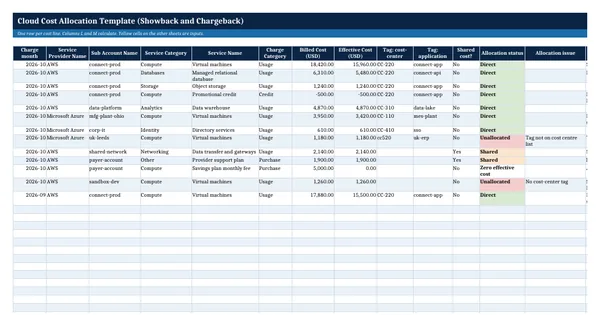
Cloud Cost Allocation Template (Showback and Chargeback)
FinOps and cloud cost management
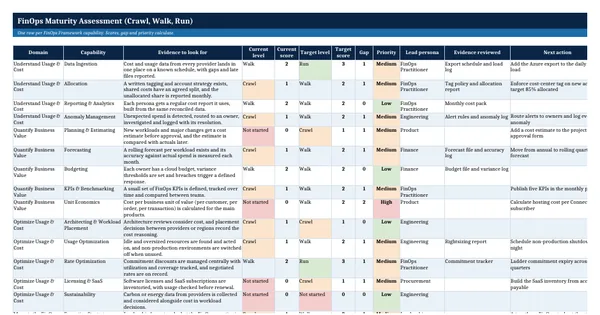
FinOps Maturity Assessment (Crawl, Walk, Run)
FinOps and cloud cost management